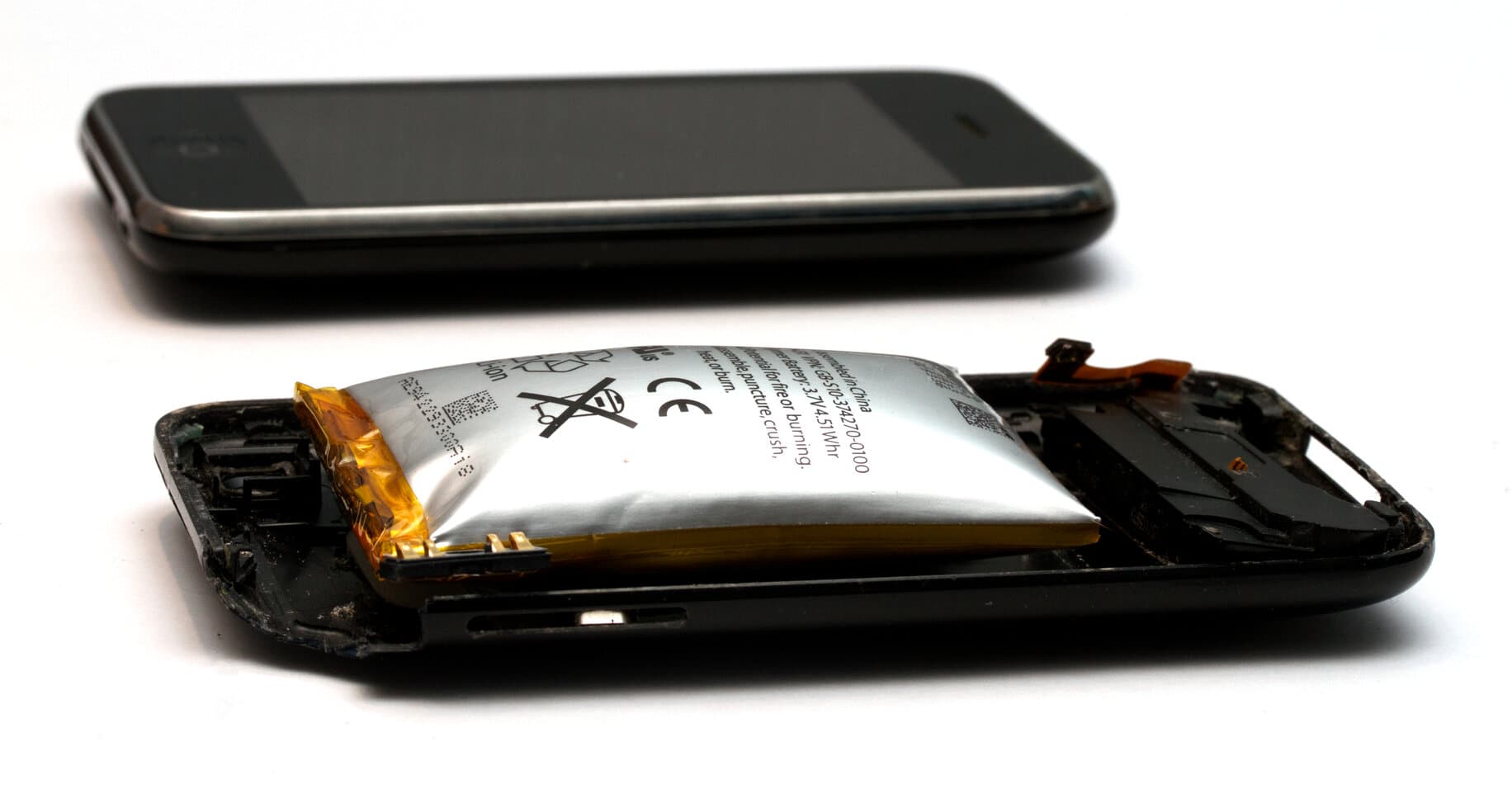
 A spicy pillow in its natural habitat. Photo: Mpt-matthew, CC BY-SA 3.0, resized.
A post did the rounds on r/spicypillows recently: a wireless mechanical keyboard from a well-known gaming brand, plugged in from day one because the owner preferred the cable for input lag, until a bump appeared in the top of the case. The battery underneath had swollen. If you haven't seen that subreddit before, it's page after page of batteries that have puffed up inside laptops, phones and controllers, and it's oddly compulsive reading.
This post is about why that happens, and what we did about it on Code One.
What a spicy pillow actually is
Lithium batteries store a lot of energy in a small soft package. When a cell degrades badly, the chemistry inside starts producing gas, and the pouch inflates. A swollen battery isn't guaranteed to catch fire, but it's a battery that has already failed and is now a physical hazard sitting inside your device. You don't repair it, you replace it and dispose of it carefully.
Two things reliably push a cell toward that state: heat, and being held at full charge for long periods. A cell that's kept topped up at 100% all the time ages much faster than one that spends its life somewhere in the middle of its range. Add warmth and the process speeds up again.
Which brings me to keyboards.
Keyboards are a worst case
The owner's moral of the story was that if you buy a wireless keyboard, you should only use it wirelessly. The comments mostly disagreed, and so do I. People will use the cable. Keeping the battery safe while they do is the maker's job, not the owner's.
Laptops at least get unplugged sometimes. They travel, they run on battery, and their makers put real engineering into charging logic because the battery is half the product. A wireless keyboard is a different animal. It sits on the same desk for years. Plenty of people buy a Bluetooth keyboard, plug in the cable on day one because they prefer wired anyway, and never unplug it. The battery just sits there, full, being gently warmed by whatever is under and around it, for the life of the product. If the charging circuit's approach is "keep topping it up forever", you've built a slow spicy pillow machine.
We expect a good number of Code One boards to live exactly like that, permanently on the cable. So the design has to assume it.
What we did about it
Three things, all boring on their own, all built into the board.
The pack has a third wire. A basic lithium pack has two leads, positive and negative, and the charger can only see voltage. Our pack carries a third lead for an NTC temperature sensor inside the pack, so the charging circuit knows how hot the battery actually is and won't charge outside a safe temperature range. It's a small thing, cheap packs skip it, and it's the difference between a charger that's guessing and one that's measuring.
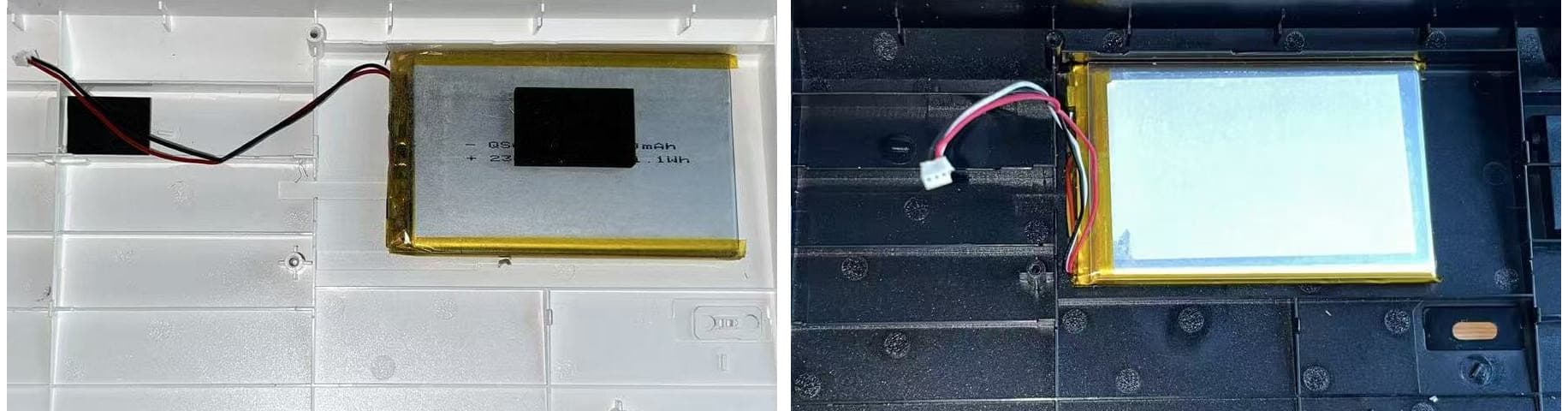 A basic pack has two wires. Ours carries a third, for the temperature sensor.
Charging stops when the battery is full. When you use the board wired, it charges the battery, and once the battery is full it stops. It doesn't sit there trickling current into a full cell for years. The board runs happily off the cable, and the battery gets left alone instead of being held at the worst state of charge indefinitely. The top comment on that reddit post is an engineer pointing out that managing the state of charge on a permanently connected device is not hard to do. They're right. It just has to be designed in from the start, and it was.
The pack goes through UN 38.3. That's the transport testing regime a lithium battery has to pass before it's allowed on a plane or a container ship: altitude, thermal cycling, vibration, shock, short circuit and so on. It exists because batteries that can't survive those conditions have no business being in a box in a cargo hold, and it's a decent proxy for a pack that's been built properly rather than just built.
None of this shows up in a spec sheet comparison. The battery reads as "4,000 mAh, about 30 hours" either way. The difference only shows up in year three or four, which is exactly when we want this board to still be sitting on your desk.
Whatever keyboard you own
Some general advice, since we're here. If any device of yours has a case that's starting to bulge, a trackpad that's stopped clicking, or a back panel lifting, stop charging it and get the battery replaced. Don't puncture it, don't press on it, and don't put it in the bin; battery recycling exists for exactly this. And if a gadget is going to live plugged in forever, it's worth a minute to find out how it treats a full battery before you buy it.
Kish